Are you tired of getting up to turn off lights or forgetting if you unplugged that iron? Imagine a world where your home listens to your commands, even when you’re not there. Smart home technology makes this a reality, and at the heart of it are smart plugs.
These simple devices transform ordinary appliances into connected, controllable gadgets. This guide will help you find the best smart home plugs so you can easily manage your devices, save energy, and enjoy greater convenience.
Key Takeaways
- You will learn what smart home plugs are and how they work.
- This post details the benefits of using smart plugs for convenience and energy saving.
- You will discover key features to consider when choosing the right smart plug.
- We will compare popular smart plug brands and models.
- You will find answers to common questions about smart home plugs.
- Tips for setting up and using your new smart plugs effectively are included.
What Are Smart Home Plugs
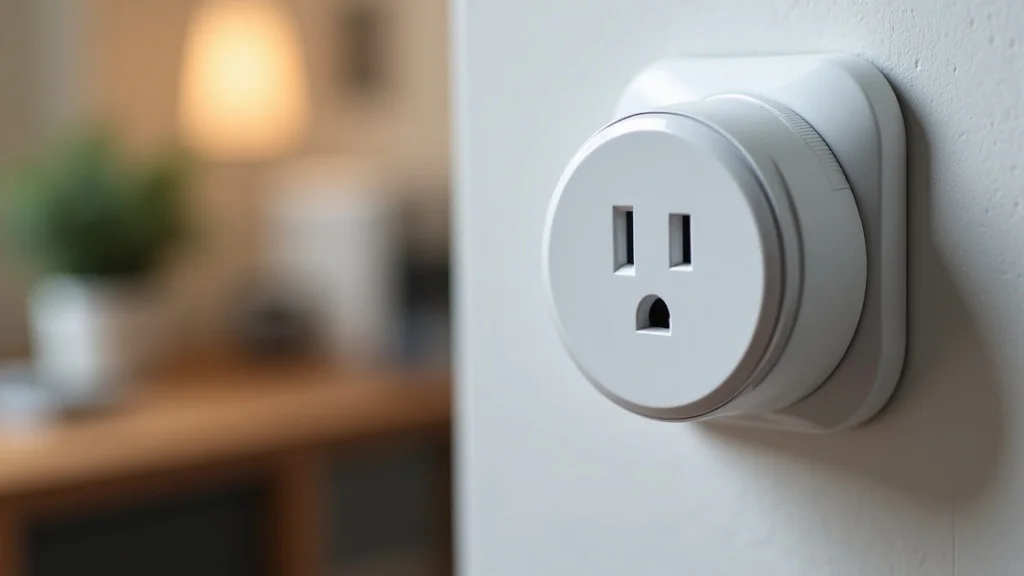
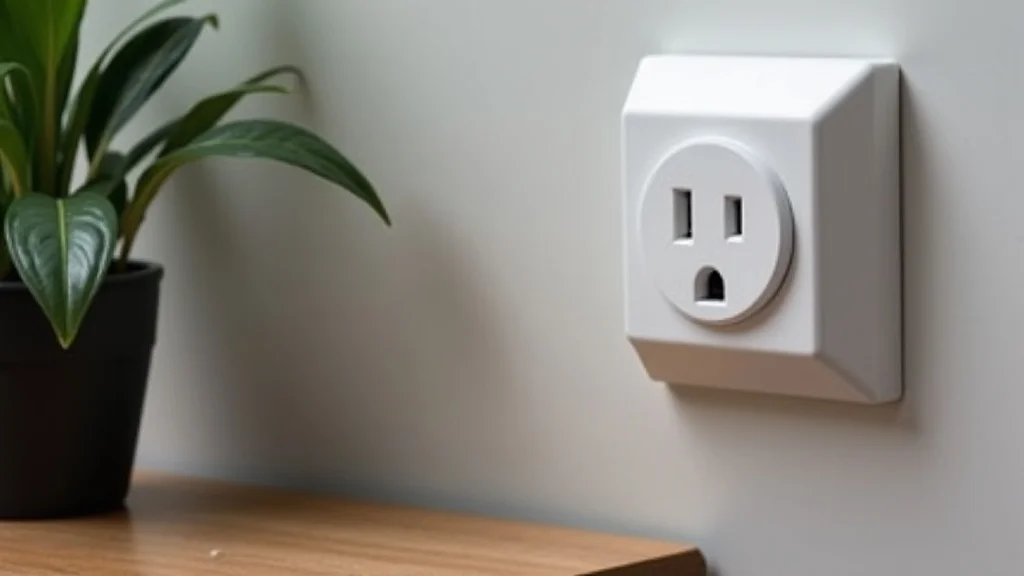
Smart home plugs are small adapters that plug into a standard electrical outlet. You then plug your regular appliance into the smart plug. This creates a bridge between your appliance and your home’s Wi-Fi network.
Once connected, you can control the appliance remotely using a smartphone app or voice commands. This simple concept opens up a world of automation and control for everyday devices.
How They Work
A smart plug contains a radio transmitter and receiver. It connects to your home’s Wi-Fi router. This connection allows it to receive commands from your smartphone or smart home hub.
When you send a command, like “turn off the lamp,” the smart plug receives this signal. It then acts as a switch, cutting off or restoring power to the plugged-in device. This process is often very quick, with a response time of a second or two.
The communication can happen through various protocols. Wi-Fi is the most common, connecting directly to your existing router. Some plugs use Bluetooth, requiring your phone to be within range.
Others rely on a hub, like those from Samsung SmartThings or Amazon Echo Plus, which act as a central controller. This hub might use Z-Wave or Zigbee, wireless standards designed for smart home devices. These standards can offer better reliability and less interference than Wi-Fi.
- Wi-Fi Connectivity: Most smart plugs use your home’s Wi-Fi network. This means they can be controlled from anywhere with an internet connection. No extra hub is usually needed. However, too many Wi-Fi devices can sometimes strain your router.
- Hub-Based Systems: Plugs that use Z-Wave or Zigbee require a compatible smart home hub. These systems are often more stable and can support a larger number of devices. They also tend to have a longer range.
- Bluetooth Connectivity: Some basic smart plugs use Bluetooth. Control is limited to when you are within Bluetooth range of the plug. This is less common for plugs designed for remote access.
Benefits of Using Smart Plugs
The primary benefit of smart plugs is convenience. Imagine turning on your coffee maker from bed or shutting off all your entertainment system devices with a single command. But the advantages go beyond just ease of use.
They are a fantastic way to make any appliance “smart” without replacing it. This is a cost-effective entry into home automation.
Energy saving is another significant plus. You can monitor how much power your devices are using. You can then set schedules to turn off devices when not in use.
This prevents “vampire drain,” where electronics consume power even when turned off. Over time, this can lead to noticeable savings on your electricity bills. For example, leaving a TV on standby can waste energy continuously.
A smart plug can ensure it’s fully powered down.
- Remote Control: Control appliances from anywhere using your smartphone app. This adds a layer of security and convenience. You can turn things on or off remotely.
- Scheduling and Automation: Set timers for devices. Have lights turn on at dusk or off at bedtime. Automate routines based on your daily schedule or triggers.
- Energy Monitoring: Many smart plugs track power consumption. This helps identify energy-hungry appliances. You can then make informed decisions to reduce waste.
- Voice Control Integration: Works with voice assistants like Alexa, Google Assistant, and Siri. “Hey Google, turn off the living room fan.”
- Appliance Enhancement: Makes traditional appliances smart. You don’t need to buy new, expensive smart versions of everything.
Choosing the Best Smart Home Plugs
Selecting the right smart plug depends on your specific needs and existing smart home setup. Several factors are important to consider. Compatibility with your current devices is key.
Also, think about the features you want, such as energy monitoring or physical buttons. The brand and its app’s usability also play a role.
Compatibility with Smart Home Ecosystems
If you already have a smart home system, ensuring your new plugs work with it is crucial. Most smart plugs are designed to be compatible with major platforms. This includes Amazon Alexa, Google Assistant, and Apple HomeKit.
Some plugs may require a specific hub from the same brand or a compatible third-party hub. Always check the product description for compatibility logos or stated support.
For example, if you rely heavily on Alexa for voice commands, look for plugs that are “Works with Alexa” certified. This ensures seamless integration. Similarly, if you use Google Home, “Works with Google Assistant” is your indicator.
Apple HomeKit compatibility is indicated by a “Works with Apple HomeKit” badge. Some plugs can even integrate with multiple systems, offering flexibility.
- Amazon Alexa: Offers voice control and integration with Echo devices. Many plugs are designed to work effortlessly with Alexa.
- Google Assistant: Connects with Google Nest devices for voice commands and routines. Look for Google Assistant compatibility.
- Apple HomeKit: Provides integration with iPhones, iPads, and Apple Watches. Requires HomeKit-certified plugs and often an Apple TV or HomePod as a hub.
- Other Platforms: Some plugs work with Samsung SmartThings, IFTTT (If This Then That), or other automation platforms, expanding your control options.
Essential Features to Look For
Beyond basic on/off functionality, smart plugs offer a range of features. Some are more critical for certain users than others. Understanding these features will help you make an informed decision.
Think about what you want your smart plugs to do for you.
- Energy Monitoring: This feature allows you to see the real-time and historical power consumption of connected devices. It’s invaluable for identifying energy waste and managing your electricity bills. Some apps provide detailed graphs and summaries.
- Physical Buttons: While remote control is great, a physical button on the plug itself can be useful. It allows for manual on/off control if your phone is not handy or the Wi-Fi is down.
- Surge Protection: Some smart plugs include surge protection. This safeguards your connected appliances from power spikes and surges, which can damage sensitive electronics.
- Compact Design: Plugs can sometimes block adjacent outlets. Look for compact designs that won’t interfere with other plugs.
- Voice Assistant Support: If you use voice assistants, ensure the plug supports your preferred system. This allows for hands-free control.
Wi-Fi vs. Hub-Based Plugs
The choice between Wi-Fi and hub-based smart plugs is an important one. Wi-Fi plugs are generally easier to set up. They connect directly to your existing router.
This means no additional hardware is needed. However, if you have many smart devices, too many Wi-Fi connections can slow down your network.
Hub-based plugs, using protocols like Z-Wave or Zigbee, require a separate hub. This hub connects to your router and acts as a central point for all your Z-Wave/Zigbee devices. These protocols are designed specifically for smart home communication.
They are often more reliable, have a longer range, and consume less power than Wi-Fi. They also don’t add to your Wi-Fi network congestion.
| Feature | Wi-Fi Plugs | Hub-Based Plugs (Z-Wave/Zigbee) |
|---|---|---|
| Setup | Easy, direct Wi-Fi connection | Requires a compatible hub |
| Range | Limited by Wi-Fi signal strength | Generally longer, mesh networking capabilities |
| Network Impact | Can add to Wi-Fi congestion | Do not impact Wi-Fi network performance |
| Reliability | Depends on Wi-Fi stability | Often more stable and less prone to interference |
| Number of Devices | Limited by router capacity | Can support many devices via the hub |
Top Smart Plug Brands and Models
Many brands offer excellent smart plugs. Each has its strengths and features. Here’s a look at some of the top contenders.
When looking for the best smart home plugs, consider these well-regarded options.
TP-Link Kasa Smart Plugs
TP-Link’s Kasa line is a popular choice for good reason. Their plugs are affordable, reliable, and easy to set up. The Kasa app is user-friendly and offers a good range of features, including scheduling and energy monitoring on some models.
They connect directly via Wi-Fi.
- Key Models: HS100 (basic plug), HS110 (with energy monitoring).
- App Features: Scheduling, timers, remote control, away mode.
- Compatibility: Works with Alexa and Google Assistant.
- Ease of Use: Simple setup process directly through the Kasa app.
One common scenario is using the TP-Link Kasa HS110 to monitor a gaming console. Users often wonder how much power their devices use during extended gaming sessions. The HS110 allows them to track this, helping them understand their electricity consumption.
They can then set a timer to turn off the console automatically after a certain period, ensuring it’s not left running unnecessarily.
Amazon Smart Plug
The Amazon Smart Plug is a straightforward option for Alexa users. It’s designed for simplicity and integrates seamlessly with Amazon’s ecosystem. Setup is quick and done via the Alexa app.
It’s a reliable choice if Alexa is your primary voice assistant.
- Key Features: Simple setup, Alexa integration.
- App Features: Basic scheduling and timers through the Alexa app.
- Compatibility: Works exclusively with Amazon Alexa.
- Design: Compact and easy to plug in.
Wemo Smart Plugs
Wemo offers a range of smart plugs, including some with advanced features like HomeKit compatibility. Their products are known for their build quality and reliability. The Wemo app provides good control and automation options.
- Key Models: Wemo Mini, Wemo Smart Plug with USB.
- App Features: Scheduling, timers, vacation mode, HomeKit integration (on specific models).
- Compatibility: Works with Alexa, Google Assistant, and HomeKit.
- USB Port: Some models include a USB port for charging devices, adding extra utility.
A practical example is using a Wemo Mini to control a table lamp in a child’s bedroom. Parents can use the Wemo app or voice commands via Alexa or Google Assistant to turn the light on or off without entering the room. They can also set a timer for the light to automatically switch off after a certain time, helping the child fall asleep peacefully.
Wyze Plug
Wyze is known for its affordable smart home devices. The Wyze Plug offers a budget-friendly way to add smart control to your home. It provides scheduling and works with popular voice assistants.
Energy monitoring is not a standard feature on all Wyze Plug models.
- Key Models: Wyze Plug, Wyze Plug Outdoor.
- App Features: Scheduling, timers, vacation mode.
- Compatibility: Works with Alexa and Google Assistant.
- Value: Excellent price point for smart plug functionality.
Setting Up and Using Smart Plugs
Setting up your smart plug is usually a straightforward process. Most brands provide a dedicated mobile app that guides you through the steps. Once connected, you can start enjoying the benefits of smart home control.
Step-by-Step Setup Guide
The exact steps can vary slightly between brands, but the general process is similar. Always refer to your plug’s instruction manual for specific details.
- Download the App: Find your smart plug’s companion app in your smartphone’s app store (e.g., Kasa, Wemo, Alexa).
- Create an Account: You’ll likely need to create an account with the brand to use their app.
- Plug in the Device: Insert the smart plug into a standard wall outlet.
- Connect to Wi-Fi: Follow the app’s instructions to connect the plug to your home’s Wi-Fi network. This usually involves selecting your network and entering the password. Some plugs have a simple pairing mode indicated by a blinking light.
- Name Your Plug: Assign a descriptive name to your plug (e.g., “Living Room Lamp,” “Kitchen Fan”). This helps when controlling multiple devices.
- Test Control: Use the app to turn the plug on and off to confirm it’s working.
Creating Schedules and Automations
Once your plug is set up, you can create schedules and automations to make your life easier. Schedules allow you to set specific times for a plug to turn on or off. Automations go further, linking actions to triggers.
- Simple Schedules: For example, set your porch light to turn on at sunset and off at sunrise. Or schedule your coffee maker to start brewing at 7:00 AM on weekdays.
- Away Mode: Some apps offer an “away mode” that randomly turns lights on and off. This can make it appear as if someone is home when you are away, enhancing security.
- Routines with Voice Assistants: If you use Alexa or Google Assistant, you can create routines. A “Good Morning” routine could turn on your lights, start your coffee maker, and play the news, all with a single voice command.
Consider a scenario where you want to simulate occupancy while on vacation. You can set schedules for your living room lamp and a bedroom lamp to turn on and off at different times in the evening. This creates the impression of activity.
Many users find this feature provides peace of mind when they are away from home.
Troubleshooting Common Issues
While smart plugs are generally reliable, occasional issues can arise. The most common problems involve connectivity.
- Plug Not Connecting to Wi-Fi: Ensure you are using a 2.4 GHz Wi-Fi network, as many smart plugs do not support 5 GHz. Check your Wi-Fi password is correct. Try moving the plug closer to your router during setup. Rebooting your router and the smart plug can also resolve connection issues.
- App Not Responding: Make sure your smartphone has an internet connection. Try closing and reopening the app. Ensure the app is updated to the latest version. If the issue persists, try logging out and back into your account.
- Voice Commands Not Working: Verify that the smart plug is correctly linked to your voice assistant account. Check that your voice assistant device is online and functioning. Try re-linking the smart plug service in your voice assistant’s app.
Common Myths Debunked
Myth 1: Smart Plugs Are Too Complicated To Use
This is not true. Most smart plugs are designed for ease of use. The setup process typically involves downloading an app and following simple on-screen instructions.
Controlling devices through the app or with voice commands is intuitive. Many users find them simpler to operate than traditional timers.
Myth 2: Smart Plugs Are Unnecessary Gadgets
Smart plugs offer significant benefits beyond mere novelty. They provide convenience through remote control and automation, enhance home security by simulating occupancy, and help save energy by preventing vampire drain and allowing for scheduled power-offs. They are a practical way to upgrade existing appliances.
Myth 3: Smart Plugs Are A Security Risk
Like any internet-connected device, smart plugs can pose security risks if not properly secured. However, reputable brands invest heavily in security measures. Using strong, unique passwords for your Wi-Fi network and your smart plug account is essential.
Keeping firmware updated also helps protect against vulnerabilities. The risk is manageable with good practices.
Myth 4: All Smart Plugs Are The Same
This is far from the truth. Smart plugs vary greatly in features, compatibility, and quality. Some offer basic on/off, while others include energy monitoring, surge protection, or USB ports.
Compatibility with different smart home ecosystems (Alexa, Google Home, HomeKit) also differs significantly. Choosing based on needs is important.
Frequently Asked Questions
Question: Can I use smart plugs outdoors
Answer: Most standard smart plugs are designed for indoor use only. If you need to control outdoor devices, look for smart plugs specifically labeled as outdoor-rated. These are built to withstand weather conditions like rain and temperature fluctuations.
Question: Do I need a hub for a smart plug
Answer: It depends on the type of smart plug. Many smart plugs connect directly to your home’s Wi-Fi network and do not require a separate hub. However, some plugs use protocols like Z-Wave or Zigbee, which do require a compatible smart home hub to function.
Question: Can I control my smart plugs without internet
Answer: Generally, you need an internet connection to control smart plugs remotely from your smartphone. However, if your smart plug has a physical button, you can usually still turn the connected device on or off manually. Some systems allow local control without internet if your phone is on the same network.
Question: How many smart plugs can I connect
Answer: The number of smart plugs you can connect is often limited by your Wi-Fi router’s capacity and the capabilities of the smart home system you are using. Most home routers can handle several Wi-Fi smart plugs without issue. Hub-based systems often support a larger number of devices.
Question: Will smart plugs work with my appliances
Answer: Smart plugs are compatible with most standard appliances that plug into a wall outlet. However, they are not suitable for devices that draw a very high amount of power, such as large air conditioners or electric heaters, as they can overload the plug. Always check the plug’s wattage rating against your appliance’s needs.
Conclusion
Smart home plugs offer a simple yet powerful way to add convenience, efficiency, and control to your home. By understanding what to look for, such as ecosystem compatibility and desired features like energy monitoring, you can find the best smart home plugs for your needs. Start automating your appliances today for a smarter, more connected living space.