Have you ever walked into a dark house and wished you could just say “Hey Google, turn on the living room light”? Or maybe you’ve left home and worried if you left the fan running. Smart home technology makes these scenarios simple.
Google Home compatible smart plugs are a fantastic entry point into this world, allowing you to control everyday devices like lamps, coffee makers, and holiday lights with just your voice or a tap on your phone. This guide will show you how to choose, set up, and get the most out of these convenient gadgets. You’ll learn everything you need to know to make your home smarter and your life easier, saving you time and frustration.
Key Takeaways
- Understand what makes a smart plug compatible with Google Home.
- Discover the various benefits of using smart plugs in your home.
- Learn how to choose the best smart plug for your needs.
- Get step-by-step instructions for setting up your smart plugs.
- Explore creative ways to use smart plugs for convenience and energy saving.
- Troubleshoot common issues you might encounter.
What Are Google Home Compatible Smart Plugs
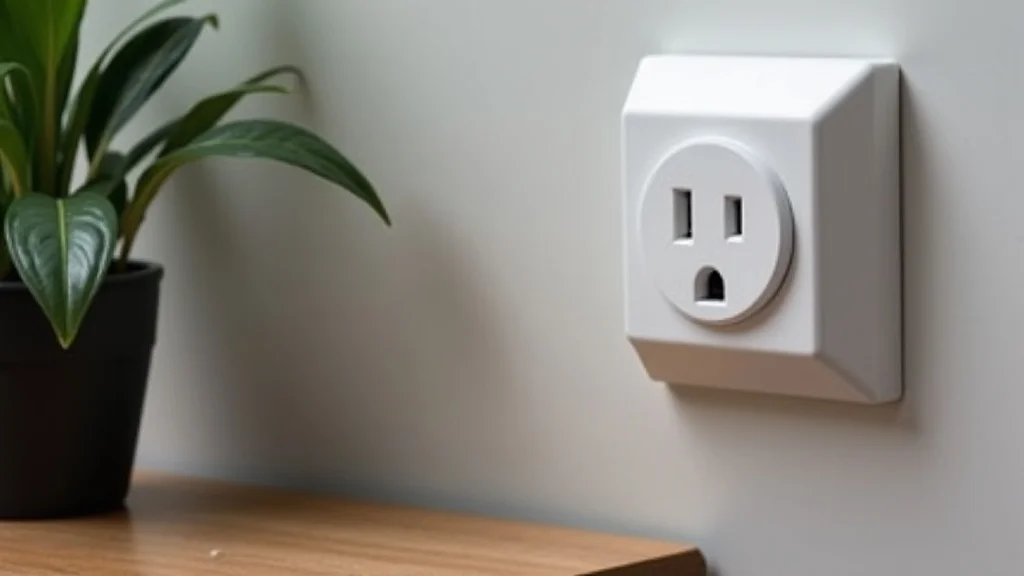
Smart plugs are essentially adapters that plug into a standard wall outlet. They then provide an additional outlet that you can control remotely. When a smart plug is labeled as “Google Home compatible,” it means it can be easily integrated with Google’s smart home ecosystem.
This compatibility is typically achieved through Wi-Fi connectivity and support for Google Assistant. You can connect these plugs to your Google Home or Google Nest devices, allowing you to control whatever is plugged into them using voice commands. For instance, you could ask Google to “turn off the fan” or “turn on the kettle.”
The primary function of these plugs is to bring “smartness” to “dumb” appliances. Any device that plugs into a wall socket and is controlled by a simple on/off switch can be made smart with a compatible plug. This includes things like lamps, portable heaters, fans, coffee makers, string lights, and even Christmas decorations.
The convenience factor is huge. Instead of physically reaching for a switch or going to unplug something, you can manage it from anywhere.
How They Connect to Google Home
The connection between a smart plug and Google Home relies on a few key technologies. Most commonly, these plugs use your home’s Wi-Fi network to communicate. When you set up the smart plug, you’ll typically use its dedicated mobile app to connect it to your Wi-Fi.
Once it’s on your network, you then link the smart plug’s app to your Google account through the Google Home app. This process allows Google Assistant to “see” and control the smart plug.
This integration means you can group smart plugs with other smart devices in your home. For example, you could create a “Goodnight” routine in the Google Home app that turns off all the lights, locks the doors, and sets the thermostat. Adding a smart plug to this routine means you could also tell Google “Goodnight” and have your bedside lamp turn off automatically.
The communication happens over the internet, so as long as both your Google device and your smart plug are connected online, you can control them.
Key Features to Look For
When shopping for a smart plug, several features can enhance your experience. Look for plugs that offer energy monitoring. This feature allows you to track how much electricity a connected appliance is using, helping you identify energy vampires and reduce your electricity bill.
Some plugs also have scheduling capabilities built into their own apps, letting you set devices to turn on or off at specific times without needing Google Assistant.
Consider the physical design as well. Some smart plugs are bulky and might block the second outlet on a wall socket. Others are designed to be more compact or even to allow access to the second outlet.
Also, check for any specific certifications or ratings, such as UL certification, to ensure safety. The range of features can vary significantly, so understanding your needs will help you pick the best one.
Benefits of Using Smart Plugs
The advantages of incorporating Google Home compatible smart plugs into your daily life are numerous. They offer a blend of convenience, security, and efficiency that can significantly improve your home experience. From automating simple tasks to enhancing home safety, these devices provide tangible benefits that quickly become indispensable.
Convenience and Automation
Imagine waking up and, with a simple voice command, your coffee maker starts brewing. Or, returning home on a dark evening and having the entryway lamp turn on before you even step inside. Smart plugs make this a reality.
You can automate devices based on your daily routines, schedules, or even your location. This means less manual effort and more time spent on what matters.
For example, you can set a schedule for your desk lamp to turn on at 8 AM and off at 6 PM, ensuring your workspace is always lit when you need it. Or, you can have your fan automatically turn on when the temperature in a room reaches a certain point, if the plug is linked to a compatible thermostat or sensor. This level of automation adds a touch of luxury and ease to everyday living.
- Voice Control: Effortlessly turn devices on or off using Google Assistant.
- Scheduling: Set specific times for appliances to operate automatically.
- Remote Access: Control devices from anywhere using your smartphone.
- Routine Integration: Include smart plugs in Google Home routines for multi-device automation.
These capabilities mean you can simplify your life significantly. No more getting out of bed to turn off a light or worrying if you left an appliance on. A quick voice command or a tap on your phone handles it all.
Energy Saving Potential
One of the most overlooked benefits of smart plugs is their ability to help you save energy and money. By monitoring energy usage and allowing you to remotely turn off devices, you can eliminate “phantom load” or “vampire power.” This is the energy that devices consume even when they are turned off but still plugged in, such as TVs, chargers, and computers.
Many smart plugs come with built-in energy monitoring features. This data can be viewed through the manufacturer’s app, giving you insights into which appliances are using the most power. Armed with this information, you can make informed decisions about unplugging devices when not in use or scheduling them to turn off completely overnight.
For instance, a gaming console left in standby mode can still draw a surprising amount of power. A smart plug can ensure it’s fully powered down when you’re not gaming.
- Phantom Load Reduction: Eliminate energy waste from devices in standby mode.
- Usage Tracking: Monitor the electricity consumption of individual appliances.
- Scheduled Power Off: Ensure devices are not consuming power when not needed.
- Cost Savings: Reduce your electricity bills by optimizing appliance usage.
Studies have shown that phantom load can account for up to 10% of a household’s energy bill. By using smart plugs, you can significantly reduce this waste. A report from the U.S.
Department of Energy indicated that unplugging electronics or using smart power strips could save households hundreds of dollars annually.
Enhanced Home Security
Smart plugs can also play a role in making your home appear occupied, even when you’re away. By scheduling lights to turn on and off at different times, you can create the illusion that someone is home, which can deter potential burglars. This is a simple yet effective security measure that smart plugs enable.
You can set up random on/off patterns for lights or even use geofencing features if available. Geofencing allows your smart plug to turn on when you leave a certain area and turn off when you return. This adds another layer of automation that can mimic natural human behavior.
For instance, you can have a porch light turn on at dusk and off at dawn, or have interior lights flicker on and off in different rooms throughout the evening. This makes your home look lived-in and less of a target.
- Deter Burglars: Simulate occupancy by controlling lights while you’re away.
- Vacation Mode: Schedule lights to turn on and off at variable times.
- Peace of Mind: Feel more secure knowing your home appears occupied.
A study published by the University of North Carolina found that visible signs of occupancy, like lights being on, were a deterrent to burglars. Smart plugs provide an easy way to implement this deterrent without having to rely on timers.
Choosing the Right Smart Plug
With a variety of Google Home compatible smart plugs on the market, selecting the right one can seem overwhelming. Factors like price, features, and brand reputation all play a role. Consider what you intend to control and what features are most important to you to make an informed decision.
Compatibility and Ecosystem
The most crucial factor is ensuring the smart plug is indeed compatible with Google Home. Look for explicit mentions of “Google Assistant compatibility” or “Works with Google Home” on the product packaging or description. While most Wi-Fi-based smart plugs will integrate, some might use proprietary ecosystems that don’t play well with Google.
Check the connectivity type. Most smart plugs use Wi-Fi, which is generally easy to set up. However, some might use Bluetooth or other protocols that require a separate hub.
For Google Home integration, Wi-Fi is usually the most straightforward. Also, consider if the plug works with other smart home platforms you might use or plan to use in the future, like Amazon Alexa or Apple HomeKit, though your focus here is Google.
- Google Assistant Verified: Ensure it explicitly states compatibility.
- Wi-Fi Enabled: Most common and easiest for Google Home integration.
- App Functionality: The manufacturer’s app should be user-friendly and reliable.
- Ecosystem Integration: Check if it works with other smart devices you own.
Features and Functionality
Beyond basic on/off control, smart plugs can offer a range of advanced features. Decide which of these are essential for your needs.
- Energy Monitoring: Track electricity consumption of connected devices.
- Scheduling: Set custom on/off times for your devices.
- Dimming Control: Some plugs can control the brightness of compatible lights.
- Surge Protection: Offers protection for connected appliances against power surges.
- Physical Buttons: Some plugs include a manual override button for convenience.
For example, if you want to track how much energy your old refrigerator is consuming, an energy monitoring plug is a must. If you simply want to schedule your Christmas tree lights to turn on at dusk, basic scheduling is sufficient.
Brand Reputation and Reliability
Stick with reputable brands known for producing reliable smart home devices. Companies like TP-Link (Kasa), Wyze, Wemo, and Meross generally offer good quality products with robust app support and regular firmware updates. Firmware updates are important as they can fix bugs, improve security, and sometimes even add new features.
Reading customer reviews can provide valuable insight into the long-term reliability and ease of use of a particular smart plug. Pay attention to comments regarding setup issues, connectivity problems, or the responsiveness of the app. A well-supported product is more likely to provide a positive experience.
Pricing and Value
Smart plugs vary in price, from budget-friendly options to more premium models with advanced features. While it’s tempting to go for the cheapest option, consider the value it offers. A slightly more expensive plug with energy monitoring or better build quality might be a better investment in the long run.
Look for multi-packs if you plan to smarten up multiple devices. Buying a pack of 2 or 4 smart plugs often comes at a lower per-unit cost. Keep an eye out for sales and promotions, especially around major shopping holidays.
Setting Up Your Smart Plugs
Once you’ve purchased your Google Home compatible smart plugs, setting them up is usually a straightforward process. It involves downloading an app, connecting the plug to your Wi-Fi, and then linking it to your Google Home account.
Step-by-Step Installation
The exact steps may vary slightly depending on the brand of your smart plug, but the general procedure is as follows:
-
Download the Manufacturer’s App
Find the app for your specific smart plug brand in your smartphone’s app store (iOS App Store or Google Play Store). Search for the brand name and install the official app.
-
Create an Account
Open the app and follow the prompts to create a new user account. This typically requires an email address and a password.
-
Add Your Smart Plug
In the app, look for an option like “Add Device,” “Add New Plug,” or a ‘+’ icon. Select this to begin the setup process.
-
Connect to Wi-Fi
You will be prompted to connect your smart plug to your home Wi-Fi network. This usually involves plugging in the smart plug, ensuring it’s in pairing mode (often indicated by a blinking light), and then selecting your Wi-Fi network and entering your Wi-Fi password within the app. Make sure your phone is connected to the same 2.4 GHz Wi-Fi network as the plug, as many smart devices do not support 5 GHz networks for initial setup.
-
Name Your Plug
Once connected, you’ll be asked to give your smart plug a name. Choose a name that is easy to remember and pronounce for voice commands, such as “Desk Lamp,” “Fan,” or “Coffee Maker.”
-
Link to Google Home
Open the Google Home app on your smartphone. Tap the ‘+’ icon to add a new device, then select “Set up device,” and choose “Works with Google.” Search for the brand of your smart plug in the list and follow the on-screen instructions to link your manufacturer account to your Google account. This step authorizes Google Assistant to control your smart plugs.
-
Assign to a Room
In the Google Home app, assign your newly added smart plug to a specific room in your house (e.g., Living Room, Bedroom). This helps organize your devices and allows for room-specific voice commands, like “Hey Google, turn off the Living Room lights.”
Connecting to Google Assistant
After the initial setup within the manufacturer’s app and linking your account to Google Home, your smart plug should be ready to use with Google Assistant. You can now test it by saying:
- “Hey Google, turn on .”
- “Hey Google, turn off .”
- “Hey Google, is the on?”
If you encounter issues, ensure both your smart plug and your Google Assistant device are connected to the internet. Sometimes, unlinking and relinking the account in the Google Home app can resolve connectivity problems.
Creating Routines
The real power of Google Home compatible smart plugs comes alive when you integrate them into routines. Routines are sequences of actions that can be triggered by a single voice command, a specific time, or even when you leave or arrive home (geofencing).
To create a routine:
-
Open the Google Home app.
Navigate to the “Routines” section.
-
Tap the ‘+’ button to create a new routine.
Choose a starter for your routine. This could be a voice command (e.g., “Good morning”), a specific time, or when you arrive home.
-
Add actions.
Select “Add action” and choose “Control smart devices.” You can then select your smart plug and set its state (on or off). You can also add other smart home actions, like adjusting lights or thermostats.
-
Save your routine.
Give your routine a name and save it. Now, when you trigger the routine, your smart plug will perform its programmed action.
For example, you could create a “Movie Night” routine that dims the main lights, turns on a desk lamp, and starts your smart TV (if connected via another smart device).
Advanced Uses and Tips
Beyond the basic convenience, Google Home compatible smart plugs can be used in creative ways to enhance your home and lifestyle. Exploring these advanced applications can unlock even more value from your smart home investment.
Automating Appliances
Many common household appliances can be made smarter with a plug. This includes fans, portable heaters, humidifiers, and even aquarium pumps. For instance, you can schedule a fan to turn on when the room gets too warm, or ensure your aquarium heater maintains a consistent temperature.
Consider the “set it and forget it” aspect. You can set your coffee maker to start brewing right before you wake up, or have your slow cooker turn on automatically while you’re at work, ensuring dinner is ready when you get home. This level of automation simplifies daily chores and adds a touch of effortless living.
- Coffee Makers: Wake up to fresh coffee.
- Fans and Heaters: Automate temperature control for comfort.
- Humidifiers/Dehumidifiers: Maintain optimal indoor air quality.
- Aquarium Equipment: Ensure consistent environmental conditions for pets.
Holiday and Accent Lighting
Holiday lighting, whether for Christmas or other celebrations, can be a hassle to manage with manual switches. Smart plugs make it incredibly easy to control string lights, decorative lamps, and outdoor decorations. You can schedule them to turn on at dusk and off at a set time each night.
This also extends to accent lighting throughout the year. Want to illuminate a specific piece of artwork or a plant? A smart plug allows you to turn that accent light on or off with a voice command, or schedule it to create a mood lighting effect in the evening.
It adds a sophisticated touch to your home decor without any complex wiring.
Protecting Electronics and Preventing Fires
Some smart plugs offer surge protection, which is a valuable feature for safeguarding sensitive electronics like computers, televisions, and gaming consoles. A power surge can cause irreparable damage to these expensive devices. A surge-protected smart plug acts as a buffer, absorbing excess voltage before it reaches your electronics.
Furthermore, by ensuring that appliances that could pose a fire risk, like old space heaters or irons, are only turned on when intended and for a set duration, smart plugs can contribute to home safety. You can remotely turn off a heater if you leave the house unexpectedly or if it’s been running too long. This peace of mind is invaluable.
Energy Audits and Conservation
As mentioned, many smart plugs offer energy monitoring. This feature transforms them into tools for conducting mini energy audits of your home. By tracking the consumption of individual appliances over days or weeks, you can identify which devices are the biggest energy hogs.
This data empowers you to make conscious conservation efforts. You might discover that your old CRT television or an unused computer monitor is drawing significant power in standby mode. With this knowledge, you can unplug them entirely, use the smart plug to schedule them off, or even consider replacing them with more energy-efficient models.
Over time, this can lead to substantial savings on your energy bills.
| Appliance | Average Daily Usage (kWh) | Estimated Monthly Cost (@ $0.15/kWh) |
|---|---|---|
| Living Room Lamp | 0.5 | $2.25 |
| Desk Computer (Standby) | 1.2 | $5.40 |
| Portable Heater (1 Hour/Day) | 1.5 | $6.75 |
As you can see from the table, even seemingly small energy consumers can add up. The “Desk Computer (Standby)” consumes more than the lamp despite not being actively used. Smart plugs help pinpoint these inefficiencies.
Common Myths Debunked
Like many technologies, smart plugs are surrounded by misconceptions. Let’s clear up some of the most common myths to ensure you have accurate information.
Myth 1: Smart plugs are too complicated to set up for non-techy people.
This is a common fear, but in reality, setting up Google Home compatible smart plugs is designed to be user-friendly. Most brands provide intuitive mobile apps with clear, step-by-step instructions. The process typically involves downloading an app, connecting to your Wi-Fi, and then linking to Google Home, which is usually a simple account connection.
Many users find the setup process takes less than 10 minutes per plug.
Myth 2: Smart plugs are a security risk and can be hacked easily.
While any connected device carries some level of risk, reputable smart plug manufacturers invest heavily in security. They use encryption protocols and regularly issue firmware updates to patch vulnerabilities. To minimize risk, always use strong, unique passwords for your Wi-Fi network and your smart plug account, keep firmware updated, and only purchase from trusted brands.
Avoid using public Wi-Fi networks for setup.
Myth 3: Smart plugs only work with Google Home and nothing else.
While the focus here is on Google Home compatibility, many smart plugs are designed to work with other smart home ecosystems like Amazon Alexa and Apple HomeKit, or through platforms like IFTTT (If This Then That). This offers flexibility if you decide to expand your smart home setup beyond Google Assistant in the future. Always check the product specifications for broader compatibility.
Myth 4: Smart plugs are expensive and not cost-effective.
While some high-end models with advanced features can be pricey, there are many affordable Google Home compatible smart plugs available, especially when purchased in multi-packs. Considering the potential energy savings, increased convenience, and enhanced home security, the initial investment is often recouped over time. The cost per plug has also decreased significantly in recent years.
Myth 5: Smart plugs require a lot of technical knowledge to use effectively.
The basic functionality of turning devices on and off via voice command or an app is very simple. Advanced features like scheduling and routine integration are also made accessible through user-friendly app interfaces. You don’t need to be a programmer or IT expert to enjoy the benefits.
For example, scheduling a lamp to turn on at sunset requires just a few taps in the app.
Frequently Asked Questions
Question: Can I use smart plugs with any appliance?
Answer: You can use smart plugs with most appliances that have a standard plug and are controlled by a simple on/off switch. However, avoid using them with devices that require precise power control, like variable speed motors, or appliances that draw very high wattage beyond the plug’s rating, such as large air conditioners or electric heaters that exceed 1500 watts, as this could be a fire hazard or damage the plug.
Question: Do I need a special hub for my smart plugs?
Answer: Most Google Home compatible smart plugs connect directly to your home Wi-Fi network and do not require a separate hub. This makes setup simpler and more cost-effective. However, some smart home systems might use protocols like Zigbee or Z-Wave which do require a hub, but these are less common for direct Google Home integration via Wi-Fi.
Question: How do I reset a smart plug if it’s not working?
Answer: Typically, there is a small button on the smart plug itself. Pressing and holding this button for about 5-10 seconds will usually initiate a factory reset. After resetting, you will need to re-add the plug to its manufacturer’s app and then relink it to Google Home.
Question: Can I control my smart plugs when I’m away from home?
Answer: Yes, as long as your smart plug is connected to your home Wi-Fi and your smartphone is connected to the internet, you can control your smart plugs remotely through the manufacturer’s app or the Google Home app from anywhere in the world.
Question: What is the difference between a smart plug and a smart outlet?
Answer: A smart plug is a device that plugs into an existing wall outlet, turning that outlet into a controllable, smart one. A smart outlet, on the other hand, is a wall receptacle that is built with smart capabilities, meaning it replaces your standard wall outlet entirely. Both serve a similar purpose of making appliances controllable via smart home systems.
Wrap Up
Google Home compatible smart plugs bring convenience and efficiency to everyday life. They allow voice control over lamps, fans, and more, easily integrate into home automation routines, and help save energy by reducing phantom load. Setting them up is straightforward, and they offer a simple way to make your home smarter without major renovations.
Enjoy the ease and control these devices provide.