Imagine coming home after a long day and the lights are already on, or wanting to make sure you turned off that curling iron without getting out of bed. This is the magic of smart plugs for home. They turn ordinary devices into smart ones, controlled right from your phone or by your voice.
This guide will show you how easy it is to set them up and start enjoying a more convenient and energy-efficient life. You’ll learn to simplify your routines and gain peace of mind about your home’s appliances.
Key Takeaways
- Smart plugs offer easy ways to control appliances remotely.
- They help save energy by scheduling device usage.
- Setting them up is usually a simple process.
- Voice control adds convenience to everyday tasks.
- Smart plugs can increase home security with lighting schedules.
What Are Smart Plugs for Home
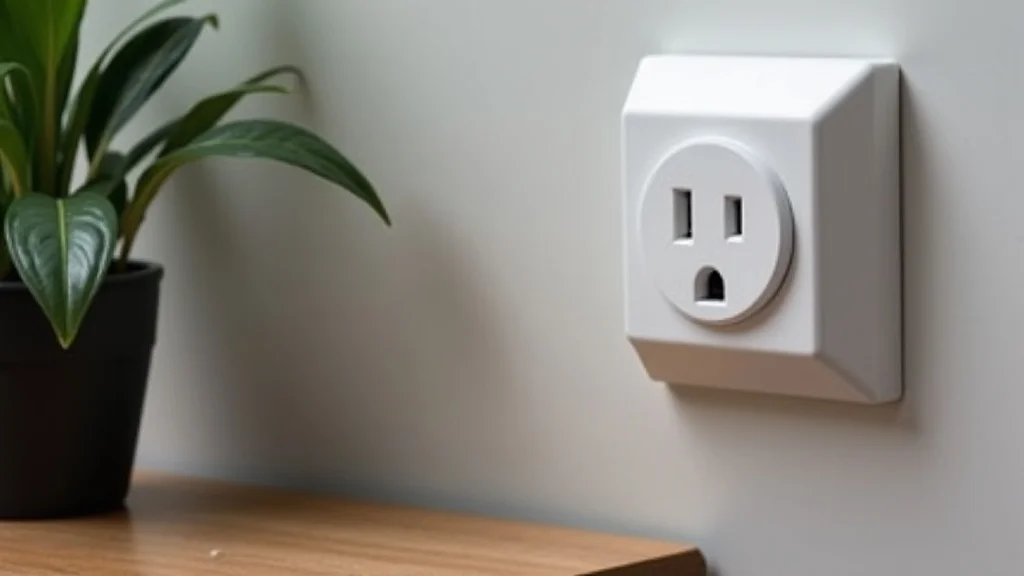
Smart plugs are small devices that plug into a standard wall outlet. You then plug your appliance into the smart plug. These plugs connect to your home’s Wi-Fi network, allowing you to control the plugged-in device remotely using a smartphone app or voice commands.
They essentially act as a bridge between your device and your smart home ecosystem. This means you can turn things on or off from anywhere, set schedules, and monitor energy usage. They are a simple yet powerful way to upgrade your home’s functionality without needing to replace all your existing appliances.
How Smart Plugs Work
The core of a smart plug’s operation lies in its connectivity. Once plugged in and connected to your Wi-Fi, it communicates with a companion app on your smartphone or tablet. This app sends commands through your network to the smart plug.
When a command is received, the smart plug activates or deactivates the power flow to the connected appliance. Many also work with voice assistants like Amazon Alexa, Google Assistant, or Apple HomeKit. You can simply speak a command, like “Alexa, turn off the lamp,” and the smart plug will respond.
This seamless integration makes managing your home devices incredibly easy.
- Wi-Fi Connection: Smart plugs require a stable home Wi-Fi network (usually 2.4 GHz) to communicate with your devices and the internet.
- App Control: A dedicated app on your smartphone or tablet is used to set schedules, timers, and manually turn devices on or off.
- Voice Assistant Integration: Compatibility with popular voice assistants allows for hands-free control.
- Onboard Relay: Internally, a relay switch within the smart plug controls the flow of electricity to the connected appliance.
Benefits of Using Smart Plugs
The advantages of incorporating smart plugs into your home are numerous. One of the most significant is energy saving. By scheduling devices to turn off when not needed or monitoring their power consumption, you can reduce your electricity bill.
Convenience is another major plus. Imagine brewing your coffee automatically each morning or ensuring your fan is off after you leave the room. Smart plugs also enhance home security.
You can set lights to turn on and off while you’re away, making it look like someone is home. This simple automation can bring a lot of peace of mind and practical benefits to your daily life.
- Energy Efficiency: Monitor and control device power to reduce unnecessary electricity use.
- Convenience and Automation: Schedule tasks, create routines, and control devices remotely.
- Home Security: Simulate occupancy by scheduling lights and other devices.
- Accessibility: A great solution for individuals with mobility issues to control appliances.
Setting Up Smart Plugs for Home
Getting your smart plugs for home up and running is generally straightforward. Most brands aim for a user-friendly setup process that doesn’t require advanced technical skills. The first step is usually downloading the manufacturer’s app and creating an account.
Then, you plug the smart plug into a wall outlet and connect it to your home Wi-Fi network through the app. It’s important to have your Wi-Fi password handy. Once connected, you can name the plug (e.g., “Living Room Lamp,” “Kitchen Fan”) and start assigning devices to it.
The app will guide you through each step, making the process quick and easy.
Downloading the App and Account Creation
The initial step in setting up any smart plug involves the companion application provided by the manufacturer. You’ll typically find a QR code on the product packaging or manual that links directly to the app store (Google Play for Android or the App Store for iOS). After downloading and installing the app, you will need to create a user account.
This account links your smart plugs to your personal profile, enabling remote access and management. The process usually involves providing an email address and setting a password. Some apps might also ask for your phone number for verification.
This account is essential for controlling your devices when you’re away from home.
Connecting to Your Wi-Fi Network
Connecting the smart plug to your home’s Wi-Fi is a critical step. Ensure your Wi-Fi network is broadcasting on the 2.4 GHz band, as many smart plugs do not support 5 GHz networks. During the app setup, you will be prompted to select your Wi-Fi network and enter its password.
The smart plug then uses this information to establish a connection with your router. Some plugs might use a Bluetooth pairing method initially to help connect to Wi-Fi. Always double-check your Wi-Fi password for accuracy, as incorrect entry is a common reason for setup failure.
A stable Wi-Fi signal in the location where you place the plug is also important for reliable operation.
Once the plug is connected, it will usually indicate success with a solid light. If it continues to blink, it typically means it’s still trying to connect or has failed. Re-entering the Wi-Fi credentials or moving the plug closer to the router can help resolve this.
Many apps offer troubleshooting tips if you encounter issues during this stage, guiding you through common problems.
Naming Your Devices and Assigning Appliances
After successfully connecting the smart plug to your Wi-Fi, the next logical step is to assign it a descriptive name. Instead of a generic “Plug 1,” naming it something like “Desk Lamp” or “Coffee Maker” makes it much easier to identify and control, especially if you have multiple smart plugs. This naming convention is crucial for voice control, as you will use these names when issuing commands to your voice assistant.
For example, saying “Hey Google, turn on Desk Lamp” is far more intuitive than trying to remember a number. The app will typically prompt you to name the device immediately after connecting it.
You then plug your desired appliance into the smart plug. This could be anything from a lamp, a fan, a coffee maker, to even a string of holiday lights. The smart plug itself does not have any inherent function; its purpose is to control the power supplied to whatever is plugged into it.
The app interface will then show this named plug, ready for you to interact with.
Popular Use Cases for Smart Plugs
Smart plugs open up a world of possibilities for automating everyday tasks and enhancing convenience. They are incredibly versatile and can be used in almost any room of the house. Whether you want to simplify your morning routine, save on energy costs, or add an extra layer of security, there’s a smart plug application for it.
Their ease of use makes them an excellent entry point into smart home technology for anyone looking to make their living space a little more connected and responsive to their needs.
Automating Morning Routines
Imagine waking up to a freshly brewed pot of coffee or your favorite reading lamp already on. With smart plugs, this is easily achievable. You can plug your coffee maker into a smart plug and set it to turn on at a specific time each morning, ensuring a warm cup is ready when you are.
Similarly, a bedside lamp can be scheduled to illuminate your room gently as your alarm goes off. This automation removes the need to manually turn on these devices, making your mornings smoother and more enjoyable. It’s a small change that can have a big impact on how you start your day.
- Coffee Maker: Schedule your coffee maker to start brewing before you wake up.
- Toaster: Have your toaster ready for immediate use upon waking.
- Electric Kettle: Ensure hot water is ready for tea or other morning beverages.
- Alarm Clock Lamp: Set a lamp to gradually turn on, mimicking a sunrise.
A practical scenario: Sarah wanted to save time in the mornings. She plugged her coffee maker into a smart plug and used the app to set it to turn on at 6:30 AM every weekday. She also plugged her bedroom lamp into another smart plug and set it to turn on at 6:35 AM.
This way, she wakes up to the smell of coffee and a softly lit room, making her mornings less rushed and more pleasant.
Energy Saving and Monitoring
One of the most compelling reasons to use smart plugs for home is their ability to help you save energy and reduce electricity bills. Many smart plugs come with built-in energy monitoring features. This allows you to see exactly how much power your connected appliances are consuming.
You can then identify “energy vampires” – devices that draw power even when turned off – and schedule them to be completely powered down. By setting timers for devices like entertainment systems, chargers, or even space heaters, you ensure they only run when necessary, preventing wasted energy and cutting down on costs.
- Identify Energy Hogs: Use the app to track power consumption of individual appliances.
- Schedule Power Off: Set devices to automatically turn off during specific hours or when not in use.
- Prevent Standby Power Waste: Ensure devices that draw phantom power are fully deactivated.
- Optimize Appliance Usage: Learn when appliances use the most energy and adjust habits accordingly.
According to the U.S. Department of Energy, standby power can account for up to 10% of an average household’s annual electricity bill. Smart plugs can significantly reduce this waste.
For example, unplugging chargers when not in use or using a smart plug to cut power to your entertainment center overnight can yield noticeable savings. A study by Energy Star found that reducing standby power could save consumers an average of $70 per year.
Enhancing Home Security
Smart plugs can be a simple yet effective tool for boosting your home security, especially when you are away. By scheduling lights to turn on and off at different times, you can create the illusion that someone is home, deterring potential intruders. This “random on/off” feature, often available in smart plug apps, makes the lighting patterns appear more natural and less predictable.
You can also use smart plugs to control devices like radios or televisions, further enhancing the impression of occupancy. This passive security measure provides peace of mind without requiring complex installations.
- Simulate Occupancy: Schedule lights and devices to turn on and off at varied times to deter burglars.
- Remote Control: Manually turn lights on or off from your smartphone if you forget to set a schedule or need to adjust them.
- Vacation Mode: Many apps offer specific vacation settings that randomize lighting for a natural look.
- Control Outdoor Lights: Use smart plugs for porch lights or garden lights to create a welcoming yet secure environment.
Controlling Hard-to-Reach Appliances
Some appliances are placed in awkward spots or are simply difficult to access for manual power control. This could be a fan placed in a corner, a Christmas tree light string behind furniture, or even a water fountain in the garden. Smart plugs solve this problem by allowing you to control these items remotely.
You no longer need to stretch, bend, or move heavy furniture to switch them on or off. This convenience is especially beneficial for individuals with mobility limitations, making everyday tasks more manageable and less physically demanding.
- Behind Furniture: Control lamps or electronics that are hard to reach behind sofas or cabinets.
- Outdoor Devices: Power garden lights, water features, or seasonal decorations remotely.
- Attic or Basement Appliances: Easily switch on or off equipment located in less accessible areas.
- Health and Mobility Benefits: A valuable tool for elderly individuals or those with physical challenges.
Choosing the Right Smart Plug
With the growing popularity of smart home devices, the market for smart plugs is vast. Choosing the right one for your needs involves considering several factors. Compatibility with your existing smart home ecosystem, desired features, and budget are all important.
Not all smart plugs are created equal, and some offer more advanced capabilities than others. Understanding these differences will help you make an informed decision and ensure you get a plug that perfectly fits your requirements and integrates seamlessly into your smart home setup.
Compatibility with Smart Home Ecosystems
When selecting smart plugs for home, compatibility with your existing smart home platform is paramount. If you already use Amazon Alexa, Google Assistant, or Apple HomeKit, you’ll want plugs that integrate smoothly with your chosen system. Some plugs are designed to work with a specific ecosystem, while others are more universal.
Check the product packaging or description for logos like “Works with Alexa” or “Works with Google Assistant.” This ensures you can control your devices using voice commands and integrate them into routines with other smart devices.
- Amazon Alexa: Look for plugs that are Alexa-certified for seamless voice control through Echo devices.
- Google Assistant: Ensure compatibility with Google Home or Nest devices for voice commands.
- Apple HomeKit: For Apple users, HomeKit compatibility allows control via Siri and the Home app.
- Other Platforms: Consider plugs that work with platforms like SmartThings or IFTTT for more advanced automation.
Features to Consider
Beyond basic on/off functionality, smart plugs offer a range of features that can enhance their utility. Energy monitoring, as mentioned, is a popular feature for those focused on efficiency. Some plugs also have surge protection, offering an extra layer of safety for connected electronics.
Others are designed for outdoor use, making them suitable for controlling garden lights or patio appliances. The physical design is also a consideration; some plugs are compact and don’t block adjacent outlets, while others are larger.
- Energy Monitoring: Tracks power consumption in real-time and historically.
- Surge Protection: Shields connected devices from power surges and spikes.
- Outdoor Rating: Weather-resistant plugs for use in gardens or patios.
- Compact Design: Plugs that are small and don’t obstruct neighboring outlets.
- Dimming Capabilities: Some advanced plugs can control the brightness of compatible lights.
Budget and Brand Reputation
Smart plugs come in a wide range of prices, from very affordable options to more premium models with advanced features. While it can be tempting to opt for the cheapest plug, considering brand reputation and customer reviews is advisable. Established brands often offer better reliability, more frequent app updates, and more responsive customer support.
Cheaper, lesser-known brands might have less secure apps or cease support for their devices prematurely. It’s often worth spending a little more for a reputable brand to ensure a secure and long-lasting smart home experience.
| Brand | Typical Price Range | Key Features | Ecosystem Compatibility |
|---|---|---|---|
| Kasa (TP-Link) | $10 – $25 per plug | Energy monitoring, scheduling, voice control | Alexa, Google Assistant |
| Wemo | $15 – $30 per plug | Sleek design, HomeKit compatible, remote access | Alexa, Google Assistant, HomeKit |
| Wyze Plug | $8 – $15 per plug | Affordable, scheduling, vacation mode | Alexa, Google Assistant |
| Meross | $12 – $20 per plug | Energy monitoring, HomeKit versions available | Alexa, Google Assistant, HomeKit |
Advanced Smart Plug Features
While the basic function of smart plugs is simple, many advanced models offer features that can significantly enhance your smart home automation. These can include detailed energy reporting, scheduling flexibility, and integration with more complex automation routines. Understanding these advanced capabilities can help you leverage your smart plugs for even greater convenience and efficiency, transforming how you interact with your home devices and manage your energy consumption.
Scheduling and Timers
The ability to schedule devices is a cornerstone of smart plug functionality. Beyond simple on/off timers, many apps offer advanced scheduling options. You can set specific times for devices to activate or deactivate, create recurring daily or weekly schedules, and even set countdown timers for temporary operations.
Some plugs allow for sunset/sunrise triggers, meaning a light will turn on at sunset and off at sunrise automatically, adjusting with the seasons. This level of control ensures your devices operate exactly when and how you need them to.
- Daily/Weekly Schedules: Set routines that repeat every day or on specific days of the week.
- Countdown Timers: Schedule a device to turn off after a set period (e.g., after 30 minutes).
- Sunrise/Sunset Triggers: Automatically turn devices on or off based on local daylight changes.
- Randomization Features: Many apps include a “vacation mode” that randomly turns lights on and off to simulate occupancy.
Energy Monitoring and Reporting
For those keen on optimizing energy usage, the energy monitoring capabilities of smart plugs are invaluable. These features allow you to track the power consumption of individual appliances in real-time. The companion apps often provide detailed reports, showing daily, weekly, or monthly energy usage in kilowatt-hours (kWh) and estimated costs.
This data empowers you to identify which devices are consuming the most electricity and make informed decisions about optimizing their usage. Some advanced plugs can even alert you if consumption exceeds a certain threshold.
For instance, a smart plug connected to a gaming console might reveal that it consumes a significant amount of power even when in standby mode. By using the plug’s scheduling feature to cut power to the console overnight, a user could save energy and money. Data from these reports can lead to behavioral changes that have a lasting impact on energy bills.
Integration with IFTTT and Routines
IFTTT (If This Then That) is a popular service that allows you to connect different apps and devices to create custom automation “applets.” Many smart plugs integrate with IFTTT, opening up a vast array of possibilities. You can create applets like “If my location changes to ‘Away,’ then turn off all smart plugs,” or “If the weather forecast calls for rain, then turn on my porch light.” Similarly, built-in routines within ecosystems like Alexa and Google Assistant allow you to bundle multiple actions into a single command. For example, saying “Good morning” could turn on your smart plug for the coffee maker, turn on your bedroom lamp, and adjust your smart thermostat.
- Create Custom Applets: Use IFTTT to link your smart plugs with other services like weather apps, email, or social media.
- Automate Based on Location: Trigger actions when you arrive home or leave (geofencing).
- Build Complex Routines: Combine smart plug actions with other smart device commands for multi-step automations.
- Voice-Activated Scenarios: Design single voice commands that control multiple smart plugs and devices simultaneously.
Common Myths Debunked
Despite their growing popularity, several misconceptions surround smart plugs. Understanding the reality behind these myths can help users make better choices and utilize these devices to their full potential. Many of these myths stem from a misunderstanding of how the technology works or an overestimation of its limitations.
Myth 1: Smart Plugs Are Difficult to Set Up
Many people believe that setting up smart plugs requires technical expertise. In reality, most smart plugs are designed for simple plug-and-play installation. The accompanying apps usually provide clear, step-by-step instructions.
Connecting to Wi-Fi and naming the device are the main steps involved, which can typically be completed in under five minutes. The apps guide users through the process, making it accessible even for those who are not tech-savvy.
Myth 2: Smart Plugs Are Only For Tech Enthusiasts
The perception that smart plugs are only for advanced users or “tech geeks” is outdated. Their widespread adoption and user-friendly design make them accessible to anyone looking for more convenience and control. From busy parents wanting to automate tasks to individuals seeking to save energy, smart plugs offer practical benefits for a broad audience.
Their affordability and ease of use have democratized smart home technology.
Myth 3: Smart Plugs Are a Major Security Risk
While all connected devices carry some security risk, modern smart plugs from reputable manufacturers are generally secure. Companies invest heavily in encryption and security protocols to protect user data and network access. It’s crucial to use strong, unique passwords for your Wi-Fi network and smart plug accounts, and to keep device firmware updated.
By following basic online security practices, the risks associated with smart plugs are significantly minimized.
Myth 4: Smart Plugs Are Expensive
While premium models with advanced features can be costly, many affordable smart plug options are available on the market. Basic smart plugs that offer remote control and scheduling can often be purchased for under $15. When considering the potential energy savings and convenience they offer, many users find them to be a cost-effective investment in their home.
The accessibility of budget-friendly options makes smart home technology attainable for a wider range of consumers.
Frequently Asked Questions
Question: Can I use smart plugs outdoors
Answer: Some smart plugs are specifically designed for outdoor use and are weather-resistant. Always check the product specifications to ensure it is rated for outdoor environments before exposing it to the elements.
Question: Do smart plugs work without Wi-Fi
Answer: Smart plugs rely on a Wi-Fi connection to communicate with your smartphone app and voice assistants. Without Wi-Fi, you generally cannot control them remotely or use most of their smart features.
Question: How many smart plugs can I connect
Answer: The number of smart plugs you can connect is typically limited by your Wi-Fi router’s capacity and the specifications of the smart plug manufacturer’s app. Most home routers can handle dozens of devices, so this is rarely an issue for typical home use.
Question: Can smart plugs be used with all appliances
Answer: Smart plugs are generally compatible with most common household appliances. However, they have a maximum power rating, so you should ensure the appliance you plug in does not exceed this limit, especially for high-draw devices like large heaters or air conditioners.
Question: Do I need a smart hub for smart plugs
Answer: Many smart plugs connect directly to your Wi-Fi network and do not require a separate smart hub. However, some plugs designed for specific ecosystems, like Zigbee or Z-Wave, might require a compatible hub to function.
Conclusion
Smart plugs offer a simple yet powerful way to bring convenience and efficiency to your home. They turn ordinary devices into controllable assets, letting you manage them from anywhere. From saving energy to enhancing security, the benefits are clear and easily accessible.
Getting started is simple, often requiring just a smartphone and your Wi-Fi password. Take the step to modernize your home with these versatile devices.