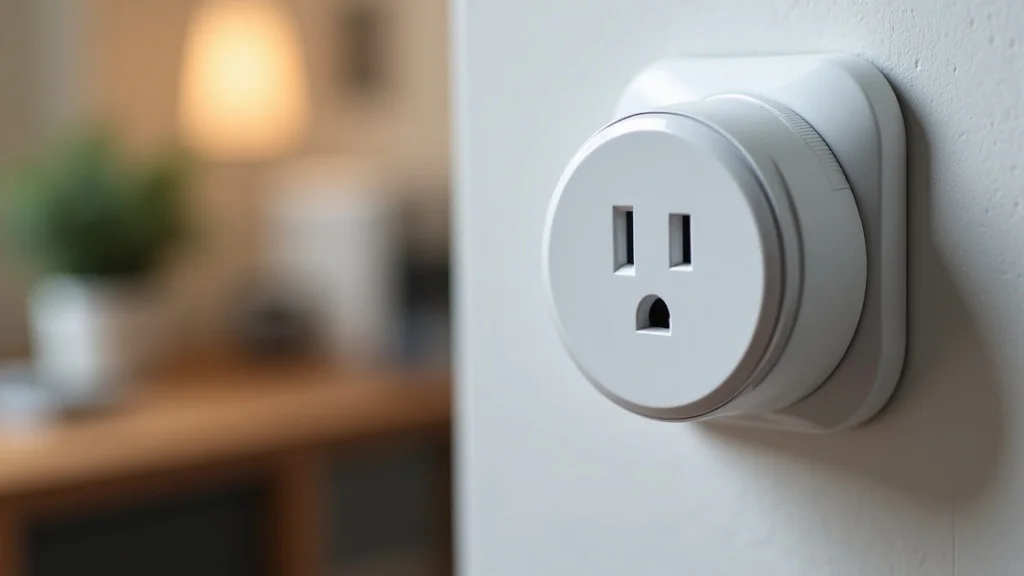
Tired of fumbling for light switches in the dark or forgetting if you turned off the coffee maker? Imagine walking into a perfectly lit room or ensuring your appliances are off with just a simple voice command. That’s the magic of smart home technology, and at its heart, the best HomeKit smart plugs offer a seamless way to bring convenience and control to your daily life.
We’ve compiled everything you need to know to choose the right ones, making your home smarter and your routines easier.
Key Takeaways
- Learn what makes a smart plug HomeKit compatible.
- Discover the essential features to look for in a smart plug.
- Understand how to set up and use your smart plugs with Apple devices.
- Explore different types of smart plugs for various needs.
- Find out how smart plugs can save energy and add security.
- Get tips on troubleshooting common smart plug issues.
What Are HomeKit Smart Plugs
HomeKit smart plugs are devices that allow you to control plugged-in appliances and lights through Apple’s HomeKit ecosystem. They act as an intermediary, connecting your standard electrical devices to your iPhone, iPad, or Apple Watch. This connection lets you manage them remotely or through voice commands using Siri.
You can turn devices on or off, set schedules, and create automated scenes without needing to physically touch the appliance. This makes everyday tasks more convenient and helps manage your home’s energy usage more efficiently.
The primary benefit of a HomeKit smart plug is its deep integration with Apple devices. Unlike plugs that work with other smart home platforms, HomeKit plugs use Apple’s secure HomeKit framework for communication. This means they are designed to be secure and work reliably with your Apple devices, often offering a more streamlined setup process.
How They Work With HomeKit
HomeKit smart plugs connect to your home Wi-Fi network. Once connected, they are managed through the Apple Home app. This app serves as a central hub for all your HomeKit-compatible accessories.
When you use the Home app or ask Siri to control a device, your command is sent securely through your Apple device to the plug.
The HomeKit framework ensures that communication between your devices and the smart plugs is encrypted and authenticated. This is a significant security advantage. It means that only authorized users can control your smart plugs, preventing unauthorized access.
Setup typically involves scanning a HomeKit code that comes with the plug.
- HomeKit smart plugs use Wi-Fi to connect to your home network.
- Control is managed via the Apple Home app or Siri.
- Communication is secured using Apple’s HomeKit encryption.
- Setup is usually straightforward with a HomeKit code.
Essential Features For Best HomeKit Smart Plugs
When selecting the best HomeKit smart plugs, several features are crucial for optimal performance and user experience. Look for plugs that offer robust connectivity, ensuring they stay connected to your Wi-Fi network without frequent drops. Reliability is key; you want a plug that responds quickly to your commands, whether they come from the Home app or Siri.
Consider the plug’s physical design. Some smart plugs are bulky and might block adjacent outlets. Opt for compact designs if you need to use multiple plugs in one socket.
Also, check for energy monitoring capabilities. This feature allows you to track the power consumption of connected devices, helping you identify energy-hungry appliances and reduce your electricity bills.
- Stable Wi-Fi connectivity is essential for reliable control.
- Fast response times to commands ensure a smooth experience.
- Compact design prevents blocking other outlets.
- Energy monitoring helps track and reduce power usage.
- Support for schedules and scenes enhances automation.
Choosing Between Single And Multi-Outlet Plugs
The choice between single and multi-outlet smart plugs depends largely on your specific needs and the devices you want to control. Single-outlet smart plugs are great for individual appliances like lamps, fans, or coffee makers. They are often more compact and cost-effective if you only need to smarten up one item.
Multi-outlet smart plugs, on the other hand, are ideal for areas where you have several devices clustered together. For example, a power strip with multiple smart outlets can control your entire entertainment center setup – TV, gaming console, soundbar – all from one unit. This can declutter your space and simplify control.
- Single-outlet plugs are good for individual devices.
- Multi-outlet plugs are suitable for groups of devices.
- Consider your specific use case when deciding.
- Multi-outlet plugs can help manage multiple devices efficiently.
Setting Up Your HomeKit Smart Plugs
Getting your HomeKit smart plugs up and running is usually a simple process. First, plug the smart plug into a wall outlet and ensure it is powered on. Then, open the Apple Home app on your iPhone or iPad.
Tap the plus (+) icon to add an accessory. The app will prompt you to scan the HomeKit setup code, which is typically found on the plug itself or its packaging.
Follow the on-screen instructions to connect the plug to your Wi-Fi network. You’ll need your Wi-Fi password. Once connected, you can assign the plug to a room in your home, give it a name (e.g., “Living Room Lamp”), and start controlling it.
This straightforward setup ensures you can enjoy the benefits of smart home control quickly.
Connecting To Your Wi-Fi Network
The smart plug needs to be on the same Wi-Fi network as your Apple devices to be controlled. During the setup process in the Home app, you will be guided to select your home Wi-Fi network and enter the password. It’s important to use a strong, secure Wi-Fi password to protect your network and smart devices.
Some smart plugs may require a dedicated HomeKit hub, such as an Apple TV or a HomePod, to enable remote access and advanced automations. This hub acts as a bridge, allowing you to control your HomeKit accessories even when you’re away from home. Without a hub, you can typically only control devices when your iPhone or iPad is on the same Wi-Fi network.
- Ensure your Wi-Fi is active and you have the password.
- Select your home Wi-Fi network in the Home app.
- A HomeKit hub may be needed for remote access.
- Keep your Wi-Fi password secure.
Using Siri And The Home App
Once set up, controlling your smart plugs is incredibly easy. You can use Siri for voice commands. For instance, you can say “Hey Siri, turn on the fan” or “Hey Siri, turn off the bedroom light.” The Home app provides a visual interface where you can see all your connected accessories, tap to turn them on or off, adjust brightness for compatible lights, and set timers or schedules.
You can also create “Scenes” within the Home app. A scene is a group of actions that can be triggered with a single command or tap. For example, you could create a “Good Morning” scene that turns on your bedside lamp and starts your coffee maker.
Or a “Movie Night” scene that dims the lights. This level of automation adds significant convenience.
- Use Siri for hands-free control of your devices.
- The Home app offers visual control and scheduling.
- Create custom scenes for multi-device automation.
- Scenes can be triggered by voice or a tap in the app.
Creating Schedules And Automations
Schedules and automations are where the real power of smart plugs shines. You can set devices to turn on or off at specific times of the day or week. For instance, you can schedule your porch light to turn on at sunset and off at sunrise, or schedule your smart plug connected to a fan to turn on during hot afternoons.
Automations can be triggered by various events, not just time. You can set a plug to turn on when you arrive home (using your iPhone’s location) or turn off when you leave. You can also link automations to other HomeKit accessories.
For example, if a motion sensor detects movement in a room, it could trigger a smart plug to turn on a light. This creates a truly responsive and automated home.
- Set devices to turn on or off at predetermined times.
- Automations can be based on your location or other device triggers.
- Schedule lights for security and convenience.
- Automate appliances to save energy or for comfort.
Popular Use Cases For HomeKit Smart Plugs
HomeKit smart plugs are incredibly versatile and can be used in countless ways to improve your home’s convenience, security, and energy efficiency. From simple lighting control to managing complex appliance routines, their applications are vast. Understanding these use cases can help you maximize the benefits they offer.
One of the most common uses is for controlling lamps. Instead of reaching for a lamp switch, you can use your voice or the Home app to turn it on or off. This is especially handy for lamps in hard-to-reach places or for setting mood lighting.
They also make it easy to manage holiday decorations, allowing you to schedule them to turn on and off automatically.
Controlling Lights And Lamps
Smart plugs are a fantastic way to make any traditional lamp “smart.” Simply plug your lamp into the smart plug, and then plug the smart plug into the wall. You can then control the lamp’s power using your Apple devices. This is perfect for bedside lamps, floor lamps, and even string lights.
You can set schedules so your lights come on automatically as dusk falls, creating a welcoming atmosphere and deterring potential intruders by making it look like someone is home. You can also integrate them into scenes, like a “Bedtime” scene that turns off all lights except for a small nightlight.
- Turn any lamp into a smart device.
- Schedule lights to turn on and off automatically.
- Control lights remotely for convenience or security.
- Integrate lamp control into smart home scenes.
Managing Home Appliances
Many common household appliances can be controlled using smart plugs, provided they don’t require complex startup sequences or have integrated smart features. This includes things like fans, heaters, coffee makers, air purifiers, and humidifiers. For example, you can set your coffee maker to start brewing just before you wake up by scheduling the smart plug.
It’s important to note that smart plugs are generally not suitable for high-demand appliances like refrigerators or air conditioners, as these often have specific power requirements or sophisticated control systems. Always check the wattage rating of the smart plug against the appliance it will control.
- Control fans, heaters, and small kitchen appliances.
- Schedule appliances for convenience or energy savings.
- Ensure the appliance’s wattage is within the plug’s limits.
- Avoid using with major appliances like refrigerators.
Enhancing Home Security
HomeKit smart plugs can play a significant role in enhancing your home security. By scheduling lights to turn on and off at random or set intervals, you can create the illusion that someone is home, even when you’re away. This can deter burglars.
You can also use them to control security cameras or other smart home devices that might be part of a security system. For instance, a motion sensor detecting activity could trigger a smart plug to turn on an exterior light. Remote access means you can check and control your plugged-in devices from anywhere, giving you peace of mind.
- Simulate occupancy with scheduled lighting.
- Deter potential intruders with varied light patterns.
- Control security devices remotely.
- Combine with sensors for automated security responses.
Energy Saving Benefits
One of the often-overlooked advantages of smart plugs is their potential for energy savings. By scheduling appliances to turn off automatically when not in use, you can prevent “phantom load” – the electricity that devices consume even when they are switched off but still plugged in. This is common with electronics like TVs, computers, and chargers.
Some smart plugs offer energy monitoring features, allowing you to see exactly how much power each connected device is using. This data can help you identify energy-guzzling appliances and make informed decisions about their usage. For example, you might discover that a seemingly idle device is consuming a surprising amount of power.
According to a report by the U.S. Department of Energy, “phantom load” can account for up to 10% of a household’s annual electricity consumption. By using smart plugs to manage devices that draw power unnecessarily, households could see a reduction in their energy bills.
- Prevent phantom load by scheduling devices to turn off.
- Identify energy-hungry appliances with monitoring features.
- Reduce overall electricity consumption and lower bills.
- Automate energy usage for greater efficiency.
Comparing Top HomeKit Smart Plugs
The market offers several excellent HomeKit smart plugs, each with unique strengths. When choosing the best HomeKit smart plugs for your needs, consider factors like price, reliability, extra features, and brand reputation. While specific models can change rapidly, understanding the typical offerings will guide your choice.
Popular brands known for reliable HomeKit accessories often provide a good starting point. Look for plugs that have received positive reviews regarding their ease of setup, stability, and responsiveness. Some plugs may offer advanced features like individual outlet control within a multi-plug strip or enhanced energy monitoring.
| Brand | Key Features | Price Range (Estimate) |
|---|---|---|
| Eve | Excellent HomeKit integration, no hub required, energy monitoring. | $$ – $$$ |
| Wemo | Reliable, easy setup, compact design, often competitively priced. | $$ |
| Meross | Good value, often available in multi-packs, energy monitoring options. | $ – $$ |
| Kasa by TP-Link | Widely available, good performance, some models integrate with HomeKit. | $ – $$ |
Eve Smart Plug
Eve is a brand that exclusively focuses on HomeKit accessories, meaning their products are designed from the ground up for seamless Apple integration. The Eve Smart Plug (often referred to as Eve Energy) is a prime example. It offers robust HomeKit compatibility, often requiring no additional hub beyond an Apple TV or HomePod for remote control.
A standout feature of the Eve Smart Plug is its built-in energy monitoring. It tracks the power consumption of connected devices in real-time and historically through the Eve app. This data can be invaluable for understanding your energy habits and identifying areas for savings.
The plug is also known for its sleek design and reliable performance, making it a top choice for many HomeKit users.
- Designed exclusively for HomeKit.
- No separate hub required for basic functionality.
- Includes detailed energy monitoring.
- Known for high reliability and build quality.
Wemo Smart Plug
Wemo has been a long-standing player in the smart home market, and their HomeKit-compatible smart plugs are popular for their ease of use and reliability. The Wemo Mini Smart Plug is a compact option that doesn’t block adjacent outlets, making it practical for use in power strips.
Setup is typically straightforward using the Wemo app, which guides you through connecting the plug to your Wi-Fi and adding it to Apple HomeKit. Wemo plugs integrate well with Siri and the Home app, allowing for voice control and inclusion in scenes and automations. While they might not always have advanced energy monitoring built-in, their core functionality is solid and dependable for everyday smart plug needs.
- Compact design to avoid blocking outlets.
- Easy setup process with the Wemo app.
- Good integration with Siri and Apple HomeKit.
- Reliable performance for general smart plug tasks.
Meross Smart Plugs
Meross offers a range of smart home devices, including HomeKit-certified smart plugs that provide excellent value. They are often available in multi-packs, making them an economical choice for outfitting multiple devices in your home. Some Meross plugs also feature energy monitoring, adding an extra layer of utility.
Their integration with HomeKit is generally robust. You connect them via their app, and then link them to Apple HomeKit. Meross plugs are known for their straightforward setup and reliable connectivity.
If you’re looking for an affordable way to make multiple devices smart and want the option for energy tracking, Meross is a strong contender for the best HomeKit smart plugs.
- Offers great value, especially in multi-packs.
- Some models include energy monitoring features.
- HomeKit certified for reliable integration.
- Easy to set up and use with Apple devices.
Troubleshooting Common Issues
Even with reliable devices, you might encounter occasional issues with your HomeKit smart plugs. The most common problems usually relate to connectivity. If a plug becomes unresponsive, the first step is to check your Wi-Fi network.
Ensure your router is powered on and broadcasting a signal.
Sometimes, simply unplugging the smart plug from the wall outlet for about 10 seconds and then plugging it back in can resolve temporary glitches. If the issue persists, you might need to reset the smart plug to its factory settings and go through the setup process again. Always refer to the manufacturer’s specific troubleshooting guide for your model.
Unresponsive Smart Plugs
When a smart plug doesn’t respond to commands, it’s often due to a loss of Wi-Fi connection or a temporary software hiccup. Start by checking the indicator light on the plug itself, if it has one, to see its status. Try controlling another HomeKit device to see if the problem is with the specific plug or your overall HomeKit setup.
If the plug is still unresponsive, try power cycling it by unplugging it for a short period and plugging it back in. Also, ensure your iPhone or iPad is connected to the same Wi-Fi network as the smart plug. If you have a HomeKit hub, verify that it is online and functioning correctly.
- Check your Wi-Fi network’s status first.
- Power cycle the smart plug by unplugging and replugging it.
- Ensure your Apple device is on the same Wi-Fi network.
- Verify your HomeKit hub is online if you use one for remote access.
Connectivity Problems
Connectivity issues can stem from various sources, including a weak Wi-Fi signal, router problems, or interference. If the smart plug is far from your router, consider moving the router closer or using a Wi-Fi extender to improve signal strength. Some routers can also have settings that might interfere with smart devices, such as MAC address filtering or firewalls.
If you’ve recently changed your Wi-Fi password or network name, you will need to reconnect your smart plugs to the new network. This usually involves resetting the plug and going through the initial setup process again within the Home app.
- Ensure strong Wi-Fi signal strength in the plug’s location.
- Check router settings for any potential conflicts.
- Reconfigure the plug if you change your Wi-Fi network details.
- Firmware updates for both your router and smart plug can resolve issues.
Resetting A Smart Plug
Resetting a smart plug to its factory default settings is often the solution when other troubleshooting steps fail. The method for resetting varies by manufacturer, but it typically involves pressing and holding a physical button on the plug for a specific duration (e.g., 5-10 seconds) until an indicator light flashes or changes color.
After resetting, the plug will be removed from your HomeKit setup. You will need to re-add it as a new accessory in the Apple Home app. This process will guide you through connecting it to your Wi-Fi network and assigning it to a room again.
Always consult your plug’s manual for precise reset instructions.
- Find the reset button on your smart plug.
- Press and hold the button for the specified time.
- The plug will revert to its original settings.
- Re-add the plug in the Apple Home app as a new accessory.
Common Myths Debunked
Myth 1: HomeKit Smart Plugs Are Only For Tech Enthusiasts
This is a common misconception. While smart home technology can seem complex, HomeKit smart plugs are designed for simplicity. Apple’s HomeKit framework emphasizes user-friendliness, and setup is typically as easy as scanning a code with your iPhone.
Once set up, controlling them is as simple as asking Siri or tapping an icon.
Myth 2: All Smart Plugs Work With HomeKit
This is incorrect. For a smart plug to work with Apple’s HomeKit, it must be explicitly certified by Apple. Look for the “Works with Apple HomeKit” badge on the product packaging or in the product description.
Plugs that only work with other ecosystems (like Amazon Alexa or Google Assistant) will not integrate with your HomeKit setup.
Myth 3: Smart Plugs Are Expensive To Buy And Run
While some high-end models can be pricey, many reliable HomeKit smart plugs are quite affordable, especially when purchased in multi-packs. Furthermore, by automating energy usage and preventing phantom load, smart plugs can actually help you save money on your electricity bills over time, potentially offsetting their initial cost.
Myth 4: You Need A HomeKit Hub For Basic Control
While a HomeKit hub (like an Apple TV or HomePod) is necessary for remote access (controlling your plugs when you’re away from home) and for enabling advanced automations, you can control your HomeKit smart plugs directly from your iPhone or iPad when you are connected to your home Wi-Fi network.
Frequently Asked Questions
Question: Do I need a specific app to control HomeKit smart plugs?
Answer: You primarily use the Apple Home app to control HomeKit smart plugs. Siri voice commands also work directly with these devices through the Home app integration.
Question: Can I use a HomeKit smart plug with an Android phone?
Answer: No, HomeKit smart plugs are designed exclusively for Apple devices. They cannot be controlled by Android phones or tablets.
Question: How many smart plugs can I connect to HomeKit?
Answer: Apple HomeKit can support up to 255 accessories, so you can connect many smart plugs and other devices to your system.
Question: Will a smart plug work with any appliance?
Answer: Smart plugs work best with devices that have simple on/off power requirements. Always check the plug’s wattage rating against the appliance’s to ensure compatibility and safety.
Question: How secure are HomeKit smart plugs?
Answer: HomeKit smart plugs are designed with strong end-to-end encryption by Apple, offering a high level of security against unauthorized access compared to some other smart home platforms.
Summary
Choosing the best HomeKit smart plugs brings convenience and control to your home. These devices integrate seamlessly with your Apple devices, allowing voice commands via Siri and remote management through the Home app. Look for reliable connectivity, compact designs, and features like energy monitoring to make informed decisions.
With simple setup and numerous use cases for lighting, appliances, security, and energy savings, smart plugs are an accessible way to start automating your home today.